Nintex workflows stop in April. Here's what to do
If you're reading this, you probably already know the situation.
You've seen the Nintex community notices. You've sat through at least one internal meeting where someone said "we need to figure out the Nintex thing." You may have already opened a Nintex Cloud pricing proposal and closed it again because the numbers didn't make sense.
And in the back of your mind, there's a date that keeps getting closer: April 2, 2026.
That's the day Microsoft permanently removes the SharePoint 2013 workflow engine from every Microsoft 365 tenant. Every Nintex workflow running on that engine will stop executing, and even Nintex's own documentation doesn't soften the message: "no recourse or workaround"
You already know this is coming. What you may not have yet is a plan. That's what this post is for.
The timeline you're working against
Let's lay it out plainly, because the cascading dates are easy to lose track of:
December 31, 2025:Nintex Workflow for O365 reached end of support. No more patches, updates, or troubleshooting from Nintex. If something breaks between now and April, you’re on your own.
April 2, 2026: The SharePoint 2013 workflow engine gets removed from all existing SharePoint Online tenants. This is the hard stop. Every Nintex workflow built on this engine:approvals, document routing, onboarding processes, procurement chains, IT service requests, all of it ceases to execute. Simultaneously.
July 14, 2026: SharePoint Server 2016/2019 extended support ends. InfoPath Forms retires. SharePoint Designer 2013 retires. If you’re running Nintex Workflow for SharePoint (on-premises), this is your second wave of disruption.
If you’re managing any combination of Nintex Workflow for Office 365, Nintex Workflow for SharePoint, or Nintex Forms built on the SharePoint Add-Ins framework, you’re in the blast radius.
Remember, you can’t selectively save workflows. The engine itself is being pulled. As Nintex’s Key Dates and Deprecation page states, workflows “will stop working entirely from 2 Apr 2026 and there will not be any recourse or workaround.”
Everything on the engine stops on the same day.
Let's try to articulate the pain you already feel
You’ve likely already reviewed the pricing structure for Nintex CE and noticed that it differs from the model used in earlier on-premises deployments.
Historically, many organizations running Nintex Workflow for SharePoint operated under a server-based licensing model, which provided a relatively fixed annual cost, somewhere between $5,000 and $15,000 a year for most mid-market organizations. Budgeting was straightforward.
Nintex CE's pricing structure is based on usage and platform capabilities. The consumption-based model bills per workflow execution (called “instances”), with tiered limits on execution volume, document generation, and premium connectors. The user-based model ties pricing to employee count with capped workflow instances.
As a result, cost projections vary depending on workflow volume, automation usage, and the features each organization requires. The typical range for the consumption-based plan is $25,000 to $50,000+ per year, a significant increase from legacy licensing for the same workflows doing the same work.
Multiple verified reviewers on G2 and TrustRadius have flagged the same thing. One verified TrustRadius reviewer wrote that their organization “significantly changed their pricing model to a ‘per execution’ model and they almost tripled the annual cost estimate.” Another wrote: “Pricing! Very disappointed in the new pricing model they have introduced.” A third noted the platform is “very usable although the price is expensive when we need to raise the number of workflows at the cloud.”
These aren’t edge cases, pricing is consistently the top pain point in Nintex user reviews.
You’ve probably also realized that “migration” is a generous word for what’s required. Moving to Nintex CE isn’t dragging your workflows from one folder to another. Nintex’s own documentation confirms it: migrating to Nintex CE means rebuilding workflows in a different architecture. Different designer. Different platform logic. Different everything.
If you have 30 workflows, that’s 30 rebuilds. If you have 300, you’re looking at a 6-12 month project.
And if you’re being honest, the thing that stings the most is the feeling that you didn’t cause this. Your team chose Nintex in good faith. It worked. Your workflows ran. Your processes were automated. And then Microsoft decided to retire the engine underneath it all and the path forward involves a fundamentally different pricing model for the same work.
You’re frustrated by the economics and the timeline.
We get it. That’s exactly why we wrote the next section!
You have real options though!
There are three viable paths, and each one involves trade-offs.
Here's what they actually look like in practice.
Option 1: Stay with Nintex
When this makes sense: Your organization has a deep, complex Nintex environment. You have a strong relationship with your Nintex account team. You have budget flexibility to absorb the pricing change and the internal resources to manage a full rebuild project.
What you should know: Nintex has launched an upgrade program with free migration tooling. The tools themselves don't cost anything, but the workflows must still be rebuilt in a new architecture. And then the ongoing licensing shifts to per-execution or user-based billing with caps and overage fees.
Nintex has also introduced K2 as an on-prem option for organizations that can't move to the cloud. The K2 Workflow Importer is a useful accelerator, it gets you partway there, though Nintex is upfront that it's not a one-click migration.
The honest trade-off: If budget isn't a constraint and you value brand continuity, Nintex Cloud is a legitimate path. But get the pricing quote in writing before you commit. And model the overage scenarios like what happens if your workflow volume grows 50% next year.
Option 2: Move to Microsoft Power Automate
When this makes sense: Your team already has Power Platform expertise (not just SharePoint administration, actual Power Automate development skills). Your workflows are relatively straightforward. You're heavily invested in the Microsoft ecosystem and want to consolidate.
What you should know: Power Automate is included in some M365 licenses for basic use, but complex workflows require premium licenses and Dataverse, which adds cost. There are no direct migration tools from Nintex, so every workflow is a manual rebuild. The connector ecosystem is massive (1,000+), and the Copilot AI roadmap is genuinely impressive.
But here's the conversation nobody is having: Power Automate is a developer tool being marketed as a business tool. If your team can build Power Automate flows independently, great. If they can't, you're hiring consultants, and expensive migration specialists for this work. Quisitive, Bridgeall, jaam automation, and Peafowl IT have all built dedicated Nintex-to-Power Platform migration practices, which tells you something about the complexity involved.
For a 200-workflow migration, the consulting cost alone can exceed the licensing savings.
The honest trade-off: Power Automate is powerful and well-integrated. It's also the choice that trades one Microsoft dependency for another. If Microsoft decides to change the Power Platform architecture in five years, you're in this same meeting again. That may be an acceptable risk. Just make it a conscious one.
Option 3: Move to a platform-independent alternative
When this makes sense: You want predictable pricing that doesn't scale with execution volume. You want to eliminate the risk of another platform dependency crisis. You want business users to build and manage workflows without constant IT involvement.
What Qntrl offers in this space: Qntrl was built to solve the exact problem this crisis exposes. Your workflows run on Qntrl's own orchestration engine, not on SharePoint and not on any third-party dependency that can be retired without your consent.
Here's how it maps to what you're already doing and what you've been wishing you could do:
Qntrl BPM, where your Nintex workflows go
If you've been building approval chains with Assign a Task, routing documents with conditional branches, or connecting multi-department processes across site collections, Blueprints is the direct replacement.
It's a visual drag-and-drop designer. It has states and transitions instead of actions and branches, but the logic is the same: define a trigger, set conditions, route to the right person, enforce deadlines, generate documents at the end. The difference is that parallel paths that required you to build three connected Nintex workflows now live in a single Blueprint. And the forms builder replaces Nintex Forms without needing the SharePoint Add-Ins framework that's also being retired.
If you've spent years in Nintex Workflow designer, Blueprints will feel familiar within an afternoon.
Circuit by Qntrl
Be honest: How many of your "workflows" are actually PowerShell scripts triggered by Task Scheduler, or manual runbooks that someone follows from a wiki page? Server patching sequences. User provisioning steps across Active Directory, email and three other systems. Incident escalation logic that lives in someone's head and a shared spreadsheet.
Nintex never addressed this. It automated business processes, not IT operations.
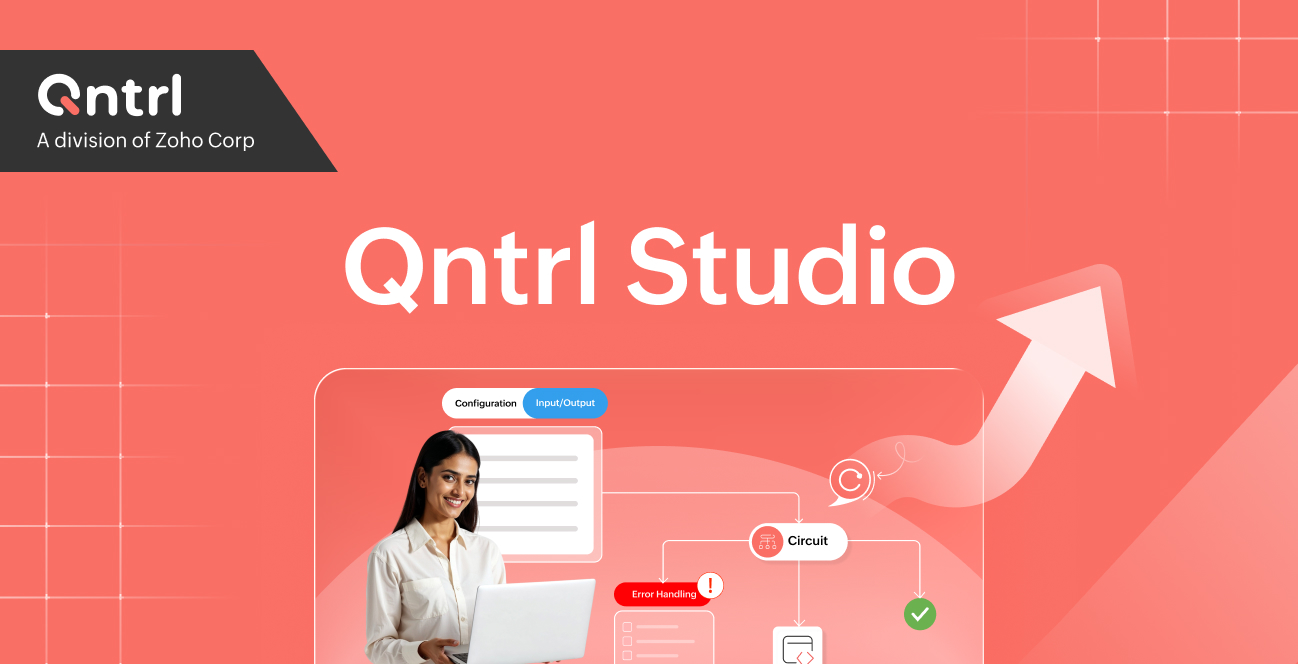
Circuit is a visual IT orchestration engine that’s event-driven, designed for the workflows your IT team runs but has never been able to automate properly. If you’re migrating anyway, this is the chance to bring those undocumented scripts and manual runbooks into a governed, observable system.
Bridge by Qntrl
The reason Nintex felt so embedded in your environment is that it lived inside SharePoint. It could talk to your SharePoint lists, your document libraries, your site collections. The moment you move to any non-SharePoint platform, the first question is: "but how does it connect to our stuff?"
Bridge is a lightweight agent that sits inside your network and connects Qntrl to whatever you have: on-prem databases, legacy ERP systems, SaaS applications, file servers, even systems without APIs (Bridge supports REST, SOAP, file-based protocols, and direct database connections). Your data stays in your infrastructure but only instructions and minimal metadata cross the connection as per your configurations.
Pricing: $40 per user, per month. All features included. No per-execution charges. No overage fees. No document-generation surcharges. If you have 50 users, you pay $12,000 a year, not $25,000–$75,000.
Prebuilt templates for the top 10 Nintex use cases: approval workflows, document routing, HR onboarding, IT service management, procurement, expense management, contract review, leave management, vendor onboarding, helpdesk routing, give you an 80% head start on the most common patterns.
The honest trade-off: If you need deep Salesforce-native document generation, Nintex DocGen has stronger integration. If your entire stack is Microsoft-only and Power Automate comes bundled free, the licensing math may favor staying in their ecosystem. We'd rather you make the right choice for your organization than make a hasty choice for ours!
The question you'll be asked next quarter
After the migration dust settles, someone in leadership will ask: "How do we make sure this doesn't happen again?"
It's a fair question.
This crisis happened because Nintex built its entire product on an engine it didn’t control. Microsoft retired that engine. And 10,000+ organizations across 90+ countries are now paying the cost of a dependency they didn’t choose.
Whatever platform you select, pressure-test it with this question: If this vendor makes a platform change in three years, do my workflows survive?
If the answer is "only if we rebuild again," that's renting someone else's infrastructure on a rolling lease with no guarantee of renewal in the disguise of migration!
At Qntrl, we built the platform specifically so that answer is different. Your workflows run on Qntrl's own orchestration engine. You can integrate with SharePoint, with Microsoft 365, with Salesforce, with your legacy ERP, but you never depend on any of them. The next time someone retires something, your processes keep running.
Qntrl is built by Zoho Corporation — privately held for 25+ years, serving 100M+ users globally, profitable and bootstrapped. No private equity ownership. No venture capital. No external investors who pressure product decisions or pricing changes. The same company that has never sunset a product to force an upsell is the one backing your workflows.
Two things you can do right now
If you've read this far, you're past the "maybe we should look into this" stage. Here's where to go next:
1. Start a free Qntrl trial: 15 days, no credit card, full features. Build your first workflow this afternoon and see if the platform fits your team.
2. Talk to a migration specialist: If you want help scoping your specific Nintex environment (how many workflows, what complexity, realistic timeline), our team does free migration assessments.
No obligation, no pressure.
The deadline is April 2. The window for a thoughtful decision is closing. The window for a panicked decision on April 3 is opening.
Start with the first one 😉

Enjoying your reading?
Enjoy organization and visibility too!
Qntrl can help you organise, control and improve production and projects in your team.